
When theft happens, make a clean report in minutes.
CRIMR helps shops, restaurants, and local businesses quickly document theft, save important details, and spot repeat activity happening nearby.
No complicated system. Just answer a few questions.
When something is stolen, CRIMR walks you through the basics: what happened, what was taken, who was involved, and any notes or photos you want to save.
Report the theft
Open CRIMR and capture the details while they are still fresh.
Save your proof
Keep notes, photos, item details, and follow-up information in one place.
Use it later
Pull up the report for insurance, internal review, or law enforcement follow-up.
Set up in minutes. No training needed. Works from your phone.
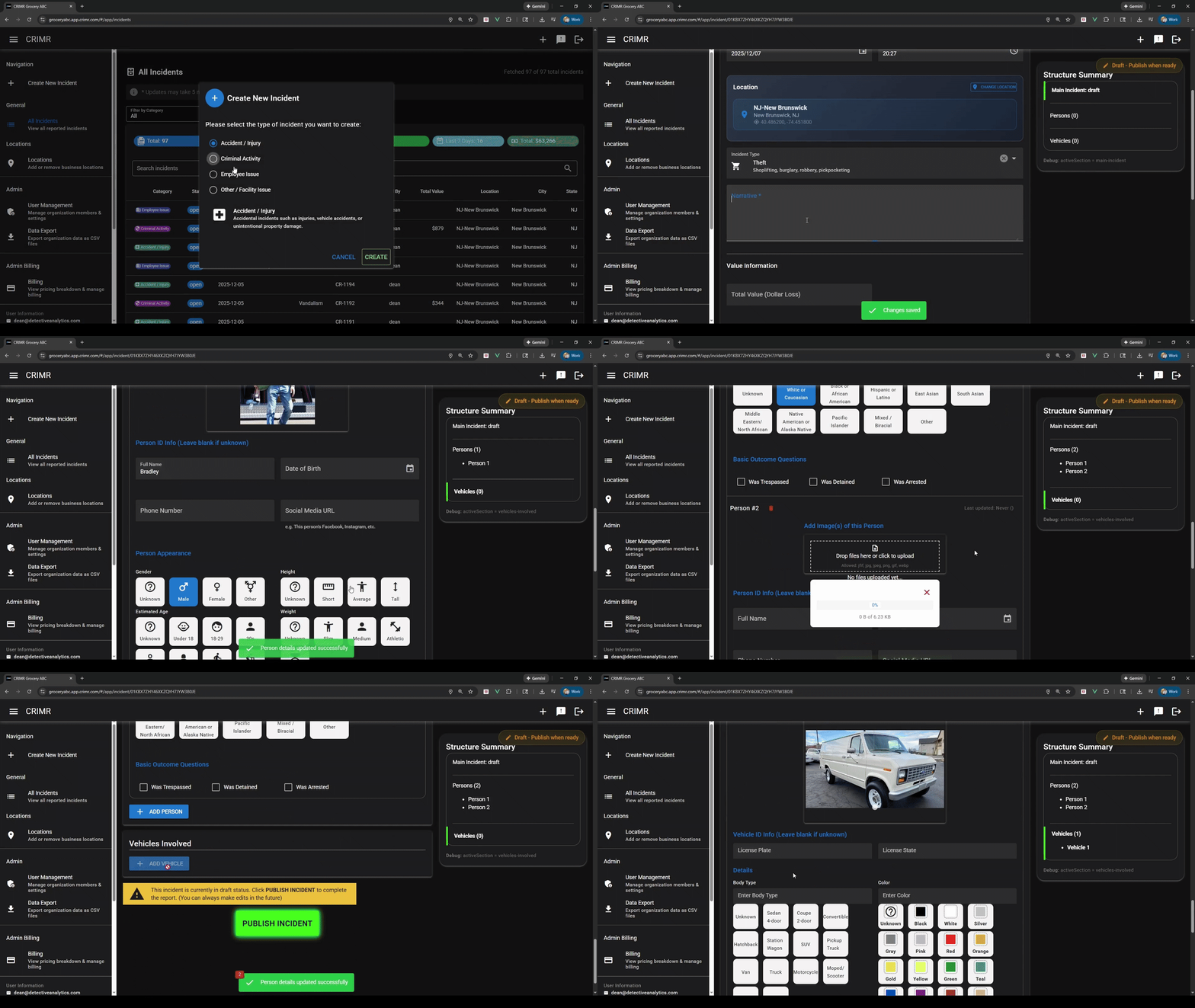
Use CRIMR when something happens in your store.
It is built for everyday incidents that are easy to forget, hard to organize, and important to document correctly.
Someone steals merchandise
Quickly record what was taken, when it happened, and what you noticed.
You recognize the same person
Keep a record so repeat activity does not rely on memory alone.
The same problem keeps happening
Document each incident the same way so patterns are easier to see.
You need proof later
Have a clean record ready for insurance, ownership, or law enforcement.
One report helps your business. More reports help the whole area.
If nearby businesses document theft the same way, repeat activity becomes easier to notice. That is why CRIMR is free to start.
You get your own record
Every report gives your business a clean theft record you can come back to.
Details stay organized
No more scattered texts, notes, photos, or half-remembered details.
Repeat issues stand out
When theft keeps happening, the pattern is easier to recognize.
Nearby businesses benefit
More participation means better local visibility into theft activity.
See how simple theft reporting can be.
Watch how a theft incident turns into a clean report you can save, review, and use later.
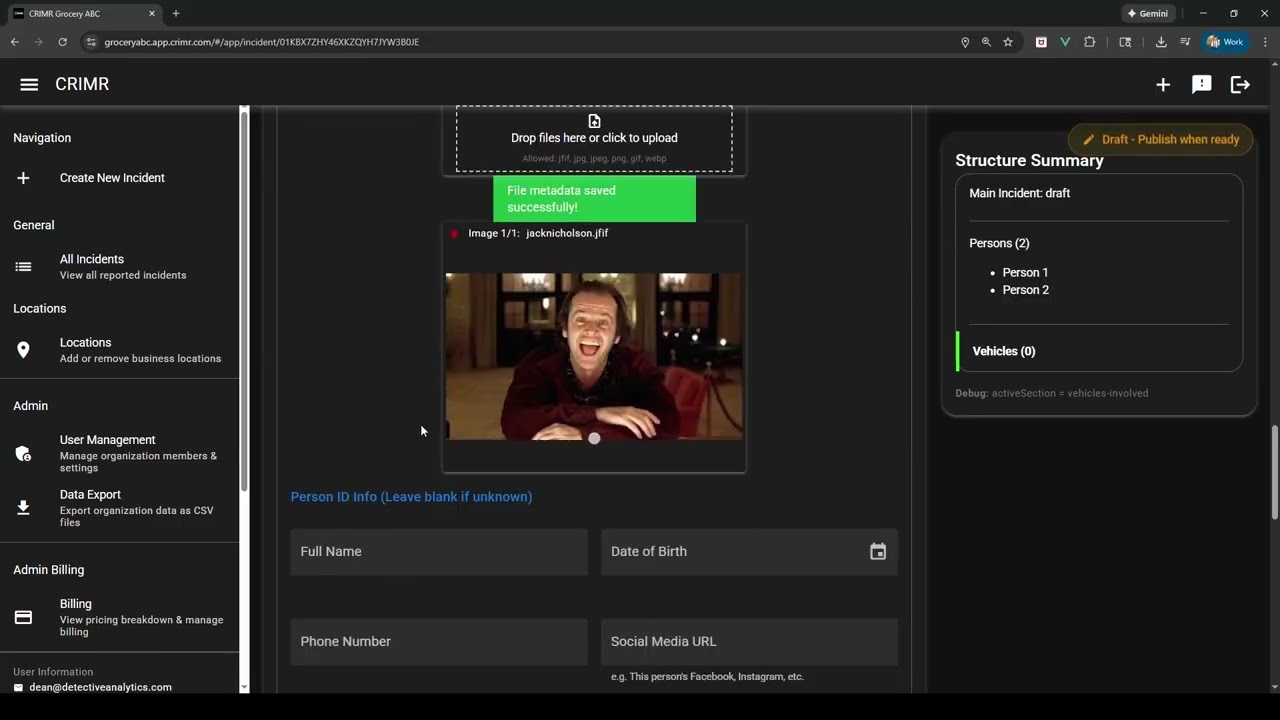 Watch the quick demo
Why businesses use CRIMR
The value is simple: when theft happens, the record is already there when you need it later.
"It helps us document theft before anyone forgets what happened."
When something is stolen, speed matters. CRIMR gives us one clean place to capture what happened and keep everything together while it is still fresh.
"Having a clear record makes follow-up much easier."
The process stays simple. When we need to review a theft incident later, the report is organized, clear, and ready to use.
Most businesses do not realize how often theft repeats until they start keeping better records.
CRIMR turns everyday theft reports into a clearer local picture, helping businesses stay organized and recognize repeat activity faster.
Frequently asked questions
Simple answers before you get started.
What is CRIMR?
CRIMR is a simple theft-reporting tool for local businesses. It helps you document what happened, keep proof organized, and recognize repeat theft activity over time.
Is CRIMR really free?
Yes. CRIMR is free to start because it works better when more local businesses participate and document theft consistently.
How is this different from writing incidents down?
Notes, texts, photos, and emails are easy to lose. CRIMR keeps the important details in one organized report that is easier to find and use later.
Is this a public reporting system?
No. CRIMR is not a public feed, social network, or rumor board. It is a structured way for businesses to document theft and keep better records.
How long does it take to report theft?
Most theft reports take about 2 minutes to complete.
Do I need training?
No. CRIMR is designed to be simple enough to use right away.
What do I get after submitting a report?
You get a clean, organized theft record that can be used for internal review, insurance, ownership, or law enforcement follow-up when needed.
One business may miss the pattern. A connected group of businesses can see it sooner.
CRIMR helps local businesses document theft in a simple, consistent way. Each report gives your business a clean record. When more nearby businesses participate, repeat theft activity becomes easier to notice across the area.
For your business
You get a clear theft report you can review, export, and use later.
For the neighborhood
More consistent reports can make repeat theft activity easier to recognize nearby.
Spot repeat theft activity
If the same type of theft keeps happening nearby, better records can help the pattern stand out sooner.
Keep proof in one place
Save stolen item details, notes, photos, and follow-up information without digging through texts, emails, or paper notes later.
Help nearby businesses connect the dots
One business may only see one incident. Multiple nearby businesses may see enough to recognize repeat behavior.
Report what happened
Capture the theft details while they are still fresh.
Keep your record organized
Store notes, item details, photos, and follow-up information together.
Notice repeat activity faster
As more businesses document theft, local patterns become easier to see.
Bottom line: CRIMR gives your business a cleaner way to report theft — and helps nearby businesses build a clearer picture together.
Start reporting theft for freeStart free. Upgrade only when your reporting needs grow.
Start with the core reporting workflow at no cost. Upgrade when you need more incident types, more users, or more activity across your business.
Fastest way to start
Document your first incident today — at $0.
Get the core CRIMR workflow, export clean PDF reports, and upgrade only when your business needs more. Start in minutes and move up only when your reporting volume, team, or locations grow.
- 1 location, 1 user
- Up to 4 incidents per month
- Document theft incidents
- 10 GB file storage
- Limited access to the shared incident network
- Core incident reporting and PDF export
- Everything in Free, plus:
- Document all incident types, including employee issues, accidents, and custom reports
- 3 users included ($20 / additional user)
- 10 incidents per month ($5 / additional)
- Unlimited locations (up to 1,000)
- 50 GB storage ($0.50 / additional GB)
- Incident sharing and standard support
- Everything in Premium, plus:
- Advanced investigation tools for larger organizations
- Bulk imports and external investigation workflows
- SSO, itemized loss tracking, live dashboards, and custom reporting
Built to feel easy from day one
Every tier, including Free, gives you the core CRIMR workflow: document the incident, attach evidence, and export a clean report when follow-up matters.
Why teams pick CRIMR
- 1 Shared incident visibility: reports can help connect similar incidents across businesses. Patent-protected (US 11,651,461).
- 2 Clear reports for law enforcement: share clean evidence and incident reports more easily when follow-up is needed.
- 3 Start free: document theft incidents today and upgrade only if you want broader reporting and more capacity.